
Vestly on WordPress, in five minutes.
The plugin puts the chat on your site and keeps the bot's knowledge fresh: every time you save a page, post or product, the bot knows about it.
Version 0.9.4 · WordPress 6.4+ and PHP 8.1+ · GPL licence
Why the plugin, not just the line of code?
Knowledge updates itself
A new price, a new product or changed opening hours: the plugin sends the change to the bot within minutes. No waiting for the next read of your site.
WooCommerce and WPML
Products with their prices, and every language version, reach the bot in the right language.
One-click updates
New versions appear in Dashboard → Updates, like any other plugin.
Installation, step by step
-
01
Create an account and a bot
Sign up for Vestly, choose a plan and add your website address. The bot reads your site in a few minutes.
No account yet? Try it free for 7 days → -
02
Download and install the plugin
In WordPress: Plugins → Add Plugin → Upload Plugin. Choose the downloaded zip file, press "Install Now", then "Activate".
Download the plugin →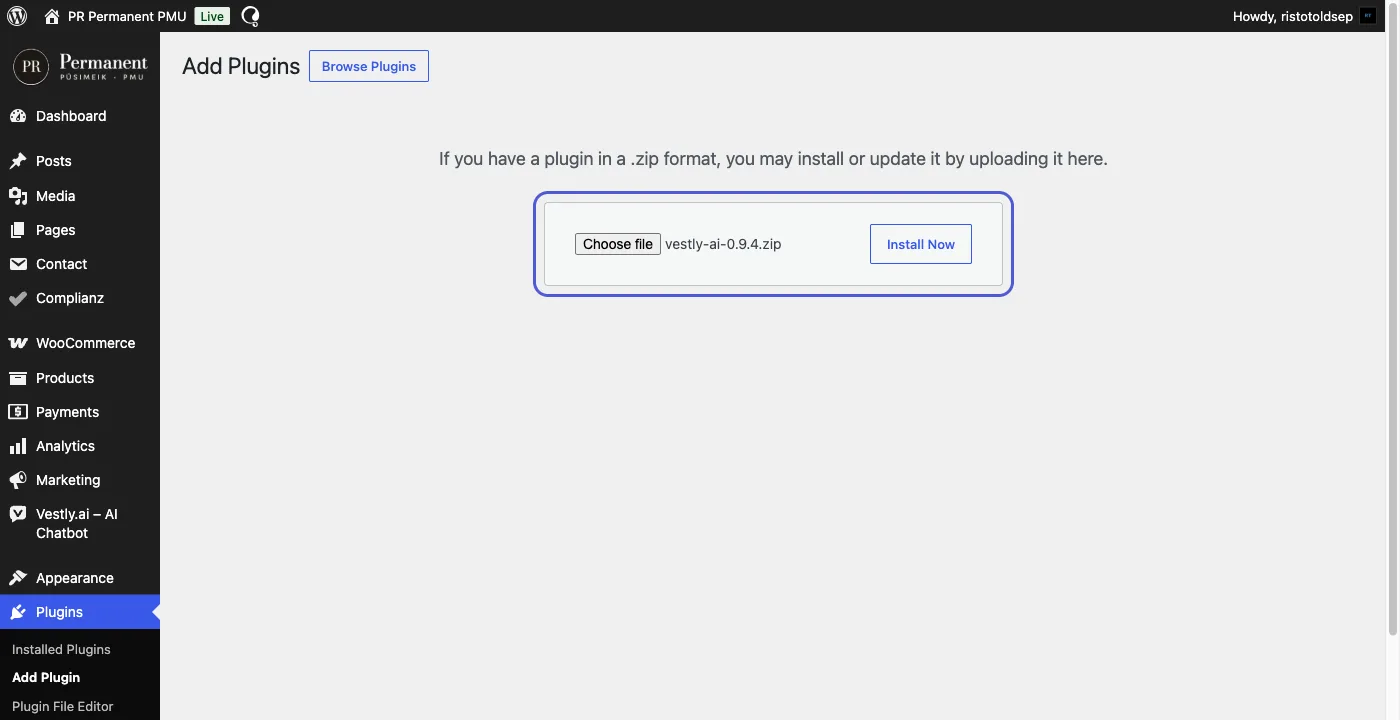
-
03
Create the WordPress keys
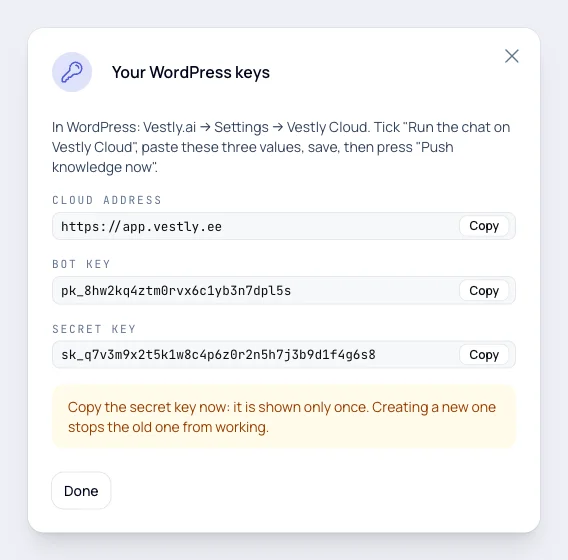
In the Vestly dashboard: Chatbots → Install → WordPress → "Create WordPress keys". You get the cloud address, the bot key and the secret key. The secret key is shown only once.
-
04
Connect the plugin
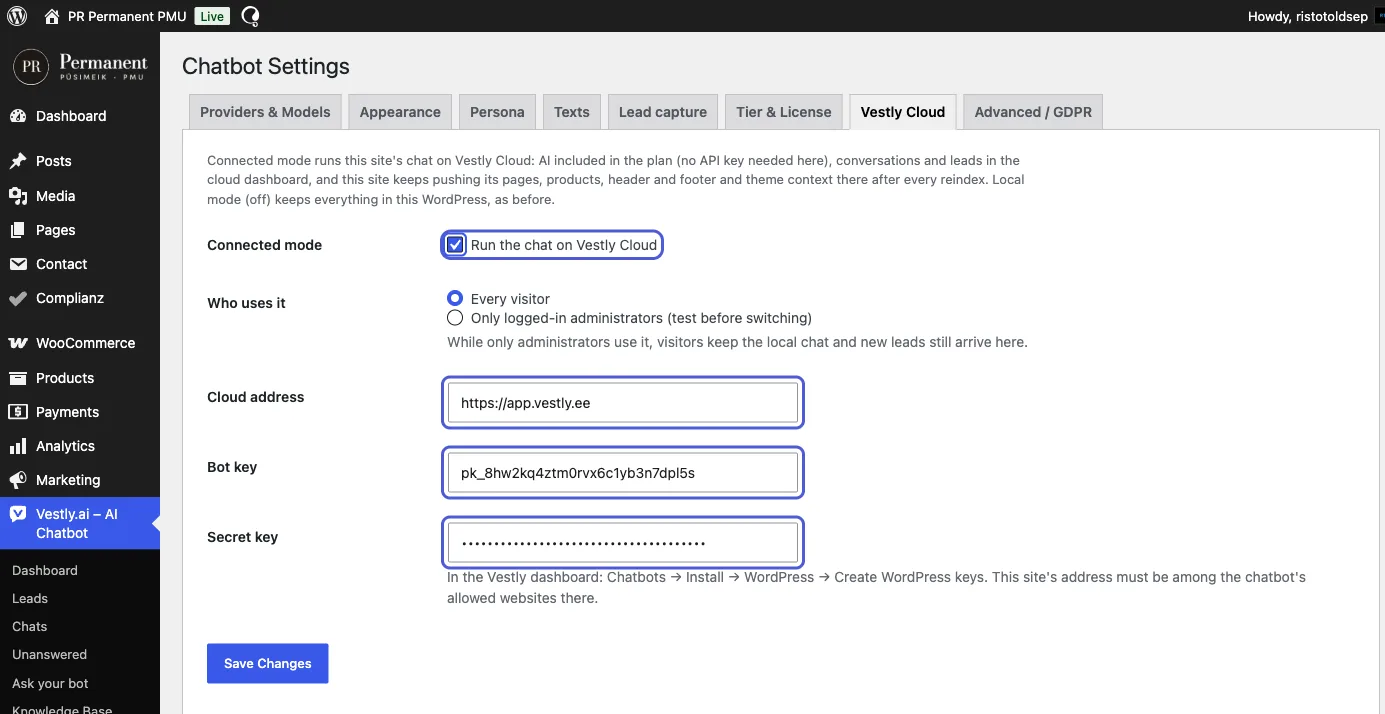
In WordPress: Vestly.ai → Settings → Vestly Cloud. Tick "Run the chat on Vestly Cloud", paste the three values and save.
-
05
Push the knowledge and check
Press "Push knowledge now". The chat appears on your site, and conversations and leads arrive in the Vestly dashboard. Want to try it yourself first? Choose "Only logged-in administrators".
Frequently asked questions
Do I need the plugin?
No. You can add the one line of code without it, for example with a header and footer code plugin. The plugin adds automatic knowledge updates and WooCommerce and WPML support.
Do I need an AI key?
No. On a site connected to Vestly the AI is included in your plan. With your own OpenAI, Anthropic or Google key the plugin also runs on its own.
What happens if I remove the plugin?
The chat disappears from your site, but your conversations, leads and bot settings stay in the Vestly dashboard. You can connect the plugin again at any time.
Does it slow down my site?
No. The chat window loads after your page content and does not affect page speed.
Ready to try it?
7 days free. Your card is charged only if you continue.